WordPress ecommerce plugins make it possible to turn a simple blog into a full online store. With the right plugin, you can handle products, payments, shipping, and taxes without needing custom code or a separate platform.
Throughout this guide, you will see how different WordPress ecommerce plugins fit physical products, digital downloads, and memberships, and how to avoid common store-killing mistakes. By the end, you can match your store idea to a specific plugin stack and move forward with confidence.
Best WordPress Ecommerce Plugins At A Glance
The quick answer is that most stores start with a single core plugin and a few focused add-ons. For many shops, SEO and UX, and where you will see it in daily work.”>WooCommerce is the default choice. However, Easy Digital Downloads and MemberPress suit digital and membership businesses better, while tools like SureCart or hosted carts keep things lightweight.
Before you dive into details, it helps to see how the leading WordPress ecommerce plugins compare in a simple overview so you can quickly shortlist the tools that fit your store.
| Plugin | Best For | Pricing Model | Key Strength / Tradeoff |
|---|---|---|---|
| WooCommerce | Physical or mixed stores | Free core, paid extensions | Huge ecosystem, but can feel heavy when overloaded with add-ons. |
| Easy Digital Downloads | Downloads, software, licenses | Free core, paid bundles | Clean digital checkout, yet less ideal for complex shipping. |
| MemberPress | Memberships and online courses | Premium license | Powerful access rules, but a higher upfront cost. |
| SureCart | Simple carts and subscriptions | Free tier, paid plans | Modern and lightweight, though newer than WooCommerce or EDD. |
| BigCommerce for WordPress | High volume or omnichannel stores | SaaS plans | Offloads heavy commerce logic, but depends on an external platform. |
This table shows that there is no single “best” plugin in every case. Instead, the right choice depends on what you sell, how complex your checkout is, and how much you want to manage directly in WordPress.
Best Overall WordPress Ecommerce Plugin
For a typical small to medium store that ships physical goods or mixes products and downloads, WooCommerce is the safest starting point. It offers strong core features, works with most themes, and has thousands of extensions, so you can grow it over time instead of switching platforms later.
Plugin Combinations For Most Store Types
Combined, WooCommerce, Easy Digital Downloads, MemberPress, and a modern cart like SureCart cover almost every WordPress store pattern. When you match each plugin to its strong use case, you avoid fighting the wrong tool and reduce the need for custom code or fragile workarounds.
How To Choose The Right Store Plugins
When you choose WordPress ecommerce plugins, start with your business model instead of a random feature checklist. Think about what you sell, how you deliver it, and how you want customers to pay. Then you can quickly narrow your options to one or two plugins that actually fit.
Match Your Plugin To Product Type
First, look at your core product mix. If you mostly ship physical items, WooCommerce or BigCommerce for WordPress fits best. If you sell files, software, or licenses, Easy Digital Downloads usually keeps things simpler. When your focus is gated content or courses, a membership plugin such as MemberPress is usually more efficient than forcing a general cart to handle access rules.
Budget And Long Term Plugin Costs
Next, consider the cost over several years rather than only the first month. Free cores like WooCommerce and Easy Digital Downloads look cheap at first. However, premium extensions for subscriptions, bookings, or complex shipping can add up. Hosted solutions charge a monthly fee, but they often include scaling, PCI compliant checkout, and support, which reduces the need for extra developer time.
- Write down what you sell today and what you plan to sell next.
- Note which payment gateways and currencies you must support.
- Decide whether you need subscriptions, memberships, or one-time sales only.
- Estimate your first year plugin budget, including add-ons.
- Shortlist one or two plugins that match all of the above.
This simple process keeps you focused on fit and cost instead of getting lost in marketing pages and feature grids.
WooCommerce For Growing Online Stores
Is the most popular way to turn WordPress into a store. It works well when you sell physical goods, simple digital products, or a mix, and you want fine control over catalog structure, tax rules, and shipping options.
Core Features You Get With WooCommerce
Out of the box, WooCommerce lets you create products with variations, manage stock, set tax zones, and connect gateways like Stripe and PayPal. You can extend it with official or third party extensions for subscriptions, bookings, or advanced shipping rules. Because it uses standard WordPress posts and taxonomies, it integrates smoothly with most SEO, caching, and analytics plugins and fits naturally into a stack of WordPress ecommerce plugins.

When WooCommerce Is Not Ideal
WooCommerce is not always the right fit. If you only sell a few simple digital files, it can feel bloated. Likewise, if you run an extremely large catalog with many price rules, the database can grow heavy without good hosting and caching. In those cases, a focused plugin or offloaded platform may be easier to maintain.
- Confirm your host meets the recommended PHP and database versions.
- Use a lightweight theme that states WooCommerce support.
- Install only the payment, shipping, and marketing extensions you truly need.
Following a small, curated setup helps WooCommerce stay fast and stable as your order volume grows.
Digital Download And Creator Stores
If your business revolves around files instead of shipping boxes, a dedicated digital commerce plugin keeps your workflow lean. Easy Digital Downloads is the most widely used choice for this pattern, and it focuses on digital-first features instead of shipping tools you never use.
Why Easy Digital Downloads Fits Creators
Among WordPress ecommerce plugins, Easy Digital Downloads makes it especially easy to sell ebooks, plugins, themes, PDFs, or audio without extra shipping settings. It includes customer accounts, discount codes, and secure file delivery. You can add software licensing, subscriptions, and recurring payments through official extensions, which keeps your checkout flow consistent as you add new product types.
Handling Licenses And File Delivery
Digital products bring their own challenges, such as license management, download limits, and update access. Easy Digital Downloads addresses these with add-ons for license keys and automatic updates. In addition, it lets you restrict how many times a file can be downloaded and how long links stay valid, which protects your revenue while staying user friendly.
You can later connect a planned tutorial such as EDD Setup Guide once it is published to walk readers through specific settings.
Memberships, Subscriptions, And Courses
When your main product is access instead of a one-time purchase, you need strong membership logic. MemberPress is a popular premium solution focused on subscriptions, rules, and content protection, and it integrates well with learning plugins and community tools.
Choosing A Membership Commerce Stack
A good membership plugin lets you sell recurring plans, drip content, and gate specific posts or categories. MemberPress and similar tools link payments to access rules, so failed renewals automatically remove access. This kind of automation is hard to build with generic carts alone, which is why a purpose-built plugin is usually worth the cost for serious membership sites.
Protecting Content And Member Experience
Membership sites live or die on trust. Clear upgrade paths, smooth login flows, and reliable access checks matter as much as fancy sales funnels. Therefore, test every rule as both a logged-out visitor and a paying member. Also, keep an eye on renewal emails and dunning workflows so that members never lose access by surprise.
Hosted And Lightweight Store Solutions
Not every WordPress store needs a full self-hosted stack. Some owners prefer to offload heavy commerce tasks to a hosted platform or a modern, lightweight cart plugin, then use WordPress mainly for content, landing pages, and blogging.
Hosted Cart Options Like Shopify
Shopify Buy Button and BigCommerce for WordPress let you keep WordPress for content while the SaaS platform handles checkout, taxes, and inventory. This hybrid approach can simplify compliance and scaling. However, you trade some flexibility and direct database access, so it fits best when you prefer stability and support over deep customization.
Ultra Lightweight WordPress Cart Plugins
Modern plugins such as SureCart focus on being fast, simple, and cloud-assisted. They often include subscription billing, customer portals, and embeddable checkout forms. Because they load fewer scripts on the front end, they can feel snappier than heavy, all-in-one carts, especially on budget hosting or content-heavy blogs where lean WordPress ecommerce plugins make a real performance difference.
If you later decide you need a full WooCommerce stack, you can usually migrate products and customers, but you should plan that change early to avoid surprises.
Common Ecommerce Plugin Mistakes To Avoid
Many frustrating store problems come from plugin choices rather than traffic or marketing. Fortunately, you can avoid most issues with a few simple habits and a clear plugin policy before launch.
Can You Run Two Ecommerce Plugins?
Technically, you can install more than one ecommerce plugin, but it rarely ends well. Checkout pages, account URLs, and cart fragments often collide. For that reason, pick one primary engine for orders and use compatible extensions around it instead of stacking several full carts on the same site.
How Many Plugin Add Ons Is Too Many?
There is no magic number, but problems usually start when you install plugins for tiny, single use features. Instead, choose well-supported extensions that cover several related tasks, such as a payment suite or a shipping bundle. Then remove anything you no longer use, and test performance after each major change.
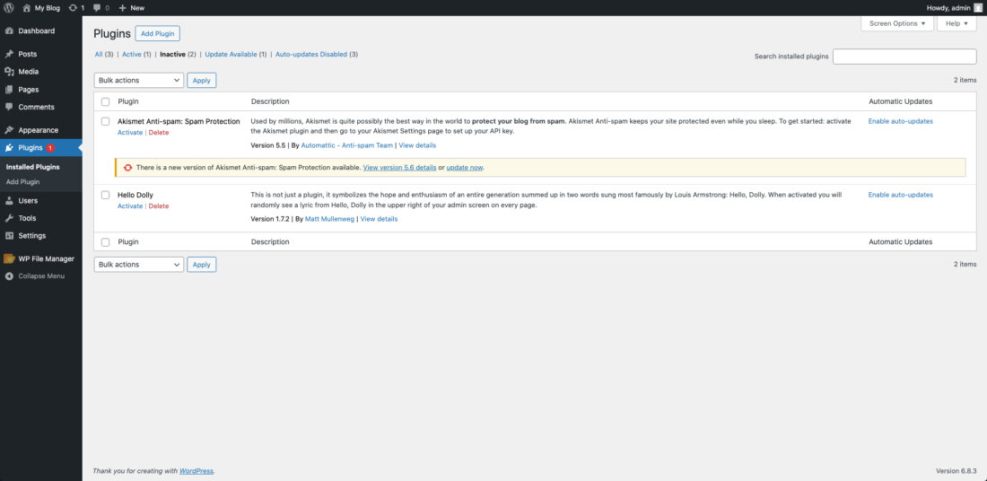
If you are still setting up your site, make sure you Install WordPress on reliable hosting first, then layer your chosen plugin stack on top.
Later, you can connect a performance-focused guide like Optimize WooCommerce to help readers tune caching and databases for busy stores.
Wrapping Up: WordPress Ecommerce Plugins
At this point, you know that the “best” WordPress ecommerce plugins are the ones that fit your products, budget, and workflow. The next step is to shortlist one or two candidates, set up a small test store on staging, and run through a full checkout flow from a customer’s point of view.
Once a plugin passes that test, commit to it and learn it deeply instead of constantly switching tools. Solid ecommerce results come from a stable stack, clear product offers, and fast pages, not from chasing every new plugin launch.
More WordPress Guides You Might Like
The following planned guides can round out your ecommerce setup once they are published and linked from your store.
- Woocommerce hardening checklist
- Easy digital downloads guide
- MemberPress Membership Site Launch Guide
- Beginner checklist optimizing WordPress blog posts
- Woocommerce performance tips for faster stores
When these resources are available, you can link to them from key sections in this article, which will help readers dive deeper into each specific plugin stack.
Frequently Asked Questions About Ecommerce Plugins
Which plugin should I use for a simple physical product store?
What is the best option for selling only digital downloads?
Can I switch ecommerce plugins later without losing data?
Do ecommerce plugins slow down my WordPress site?
How many payment gateways should I enable at checkout?