Local SEO for Small Business WordPress Sites
A practical roadmap to more local customers

Local SEO helps your small business WordPress site show up when nearby customers search for services like yours. Without it, even a beautiful website can sit invisible under bigger brands, directory sites, and ads that crowd the results page.
You will see how to combine Google Business Profile, on-site WordPress changes, and off-site signals into one simple system. The sections walk through fast wins first, then show you how to build durable local rankings and track what actually brings you calls, leads, and foot traffic.
Local SEO Essentials for WordPress
The quick answer is that you boost local SEO on a small business WordPress site by aligning three things: a fully optimized Google Business Profile, clear location signals on your website, and consistent citations and reviews across the web. When those match, Google can trust who you are, where you are, and what you offer.
First, decide the primary location and main services you want to rank for. Then align your business name, address, phone number, and categories everywhere your brand appears. Finally, connect those signals to strong, fast WordPress pages that answer local search intent with clear content and calls to action.
Local SEO differs from broad SEO because proximity, reviews, and business listings matter more than national backlinks. However, your WordPress site still needs solid technical SEO, useful content, and clean internal linking to support your local presence.
What Makes Local SEO Different?
Local SEO focuses on searches that include a place or show local intent, such as “near me” or a city name. Instead of ranking just web pages, Google also ranks map listings, reviews, and directory profiles. As a result, your WordPress site is only one part of the puzzle, not the whole thing.
How Local Search Works for Small Sites
When someone searches locally, Google looks at their location, your Google Business Profile, and your website before showing results. It checks distance, relevance, and prominence. Therefore, a small WordPress site can outrank big brands if it sends strong local signals and earns trust from real customers.
Key Ranking Factors for Local Visibility
Local rankings depend on accurate business info, selected categories, reviews, on-site optimization, and consistent citations. In many cases, a verified Google Business Profile with great reviews will move the needle faster than minor page tweaks. However, when you combine both, you build a strong, defensible position in your area.
Before comparing your approach, it helps to see how general SEO and local SEO differ at a glance.
| Aspect | General SEO | Local SEO |
|---|---|---|
| Primary Goal | Reach broad or national audiences | Win searches in a defined area |
| Typical Keywords | “WordPress hosting tips” | “WordPress developer in Dallas” |
| Main Signals | Backlinks, content, technical SEO | Google Business Profile, NAP, reviews |
| On-Site Focus | Topic depth and authority | Location pages, maps, contact details |
This comparison shows why a small WordPress site must treat location details and reviews as core SEO assets, not just contact info.
Prepare Your Business for Local Search
Before you tweak your WordPress site, you need strong business foundations. Google will only trust your pages if your real-world details are clear and consistent. Therefore, you should start with Google Business Profile, NAP consistency, and reviews.
How Do You Set Up Google Business Profile?
Open Google Business Profile, claim your listing, and verify ownership. Then add your business name, category, address, phone number, hours, website URL, and service area. In addition, upload real photos, write a short local-focused description, and enable messaging if it fits your workflow.
Keep Your NAP Consistent Everywhere
NAP stands for Name, Address, and Phone. These details must match across your WordPress site, Google Business Profile, Facebook page, and major directories. Even small differences, such as “Street” vs. “St.” or old phone numbers, can confuse search engines and weaken trust in your data.
Build Trust With Real Customer Reviews
Reviews act like local backlinks that prove you exist and provide value. Ask happy customers to leave reviews on Google, then respond to each one with a short, friendly message. In addition, you can highlight selected reviews on your WordPress site to reinforce social proof and reassure new visitors.
Optimize Your WordPress Site for Location
Once your off-site signals look good, your WordPress site must reinforce them. You do this with clear contact details, strong local landing pages, and structured data. In many cases, these changes are simple edits that pay off for years.
Create Pages That Match Local Intent
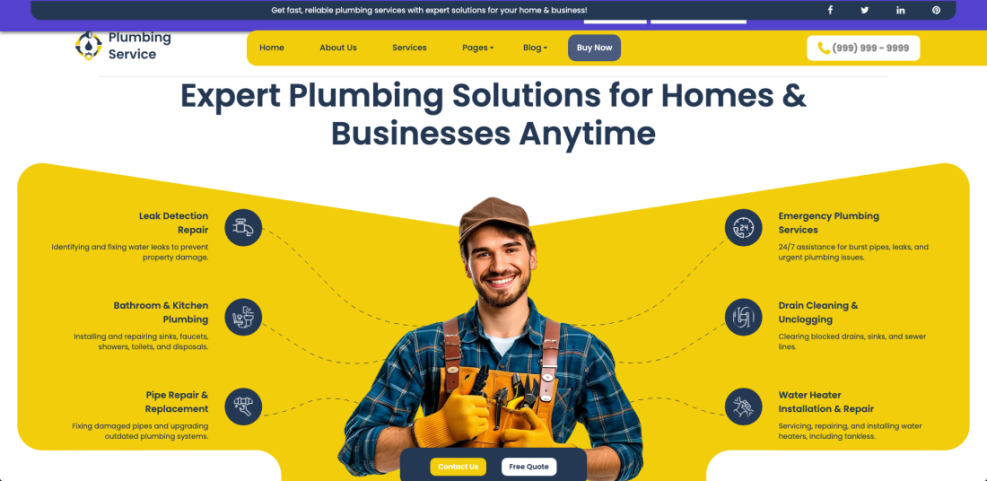
Create a dedicated contact or location page that includes your full NAP, map, and driving directions. If you serve multiple cities, build one well-written page per key location instead of stuffing long lists of towns into a single page. Each location page should clearly describe services, service area, and ways to contact you.
In the Dashboard, open Pages » Add New to create a location landing page for your main city or neighborhood.
Where Should You Add Your Address?
Place your business name, address, and phone number in the footer so they appear on every page. In addition, match the formatting to what you entered in Google Business Profile. You can also add NAP details to your contact page schema using a local SEO feature in your favorite SEO plugin.
Use Maps and Schema to Stand Out
Embedding a Google Map on your contact or location page reinforces where you are. A good WordPress SEO plugin with local features can also add LocalBusiness schema markup, which helps search engines understand your business type, address, and hours. Therefore, you gain richer results and stronger local relevance without complex code.
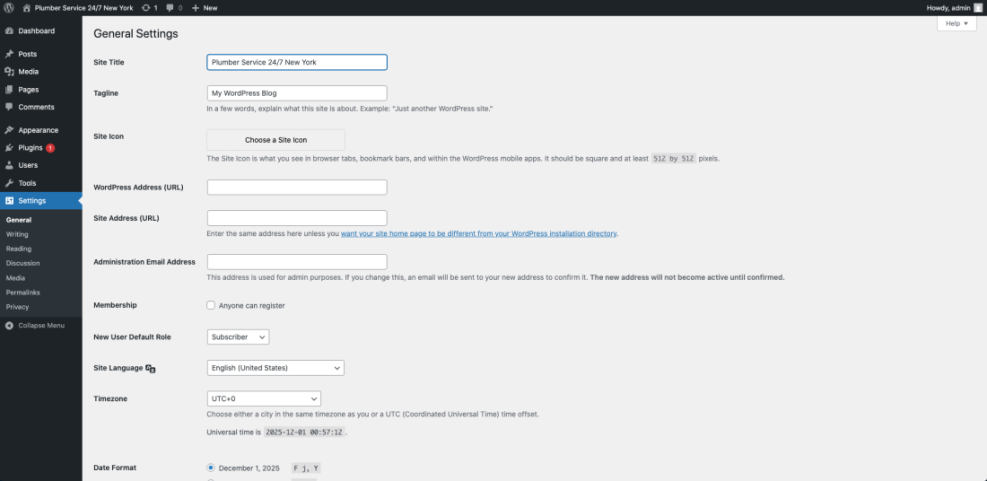
From your WordPress Dashboard, go to Settings » General to review your site title and tagline and decide whether to include your primary city name.
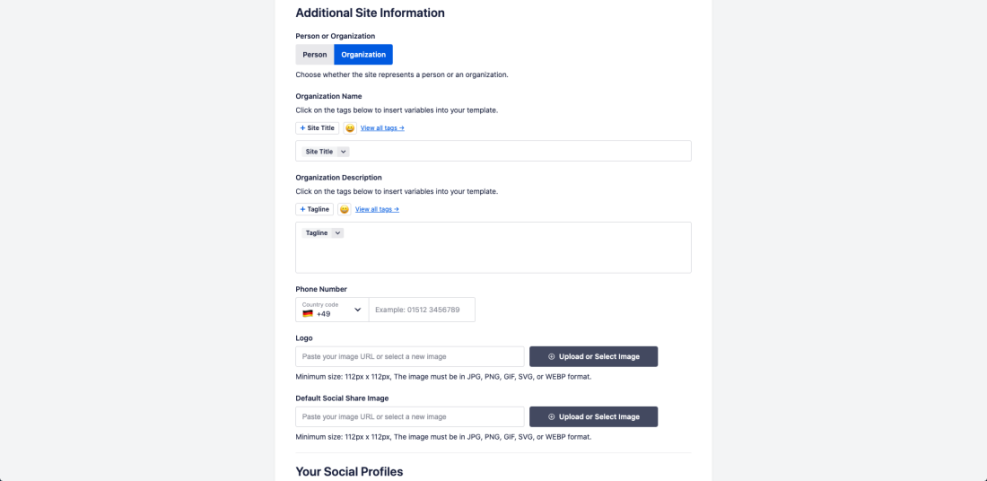
In your Dashboard, find All in One SEO » Local SEO or a similar menu in your chosen SEO plugin to configure business info and schema options.
For a deeper walkthrough of general SEO basics before you fine-tune local details, you can review the WordPress SEO – Complete Beginner’s Guide.
Content Ideas That Attract Local Visitors
Strong local content proves that you actually know and serve the community you claim. It also gives you more chances to rank for long-tail searches that show clear intent, such as specific problems, neighborhoods, or events in your area.
Turn Common Questions into Local Posts
Listen to what customers ask on the phone or in emails, then turn those questions into blog posts with a local angle. For example, a plumber might explain “what to do before a cold snap in Denver” rather than just “winter plumbing tips.” This approach adds real-world relevance and makes your site feel human.
Show Local Case Studies and Testimonials
Short case studies that highlight work in specific neighborhoods build trust fast. Include the type of project, the area, and the outcome. In addition, add one or two sentences about how long the job took or how you solved a local challenge, such as old wiring or narrow city parking.
Go to Appearance » Widgets and edit the footer widget area to add a testimonials widget or block that pulls in your best local quotes.
Use Event and Community Based Content
Write about sponsorships, local events, and partnerships with nearby businesses. When appropriate, include photos and short recaps. This type of content shows that you participate in the community and gives potential customers more reasons to remember your brand when they need your service later.
Citations Links and Tracking for Growth
After your core setup is live, you can grow visibility with local citations, relevant links, and clear tracking. These elements help you see which efforts bring results and where you still have gaps.
List Your Business in Quality Directories
Start by claiming listings on major platforms such as Yelp, Bing Places, and Apple Business Connect. Use the same NAP details and categories you use in Google Business Profile. Then add a short, consistent description and a link back to your WordPress site from each profile.
- Verify that your name, address, and phone match your website exactly.
- Remove or update old duplicate listings when you find them.
- Add photos, hours, and a short description where supported.
Keeping your directory profiles aligned gives Google more confidence in your business data and reduces confusion for real customers.
Which Metrics Show Local SEO Is Working?
Track Google Business Profile views, calls, and direction requests along with your website traffic. In Google Analytics, watch for growth in local landing page sessions and contact form submissions. Over time, you want to see more branded searches, more map views, and more actions from people within your service area.
Tools That Help You Track Local Rankings
You can use a rank tracking tool that supports local grids or city-level tracking to see true local positions. In addition, check Search Console for impressions and clicks on location keywords. When you are ready for a more advanced setup, tools in the Best Rank Tracker Tools for SERP Tracking guide can automate most of this reporting.
For even stronger on-site optimization, consider installing one of the options from Best WordPress SEO Plugins and Tools and enable its local SEO features.
Local SEO Conclusion for WordPress
Local SEO rewards steady action more than one-time campaigns. If you claim and polish your Google Business Profile, align all NAP details, and build clear local pages on your WordPress site, you already outperform many competitors. Then, as you earn reviews and refine content, your visibility and leads compound.
Choose one area to improve each week: one week for directory cleanup, one for reviews, one for a new local post, and one for on-page tweaks. This simple rhythm keeps local SEO manageable and moves you closer to the moment when people in your city see your business first whenever they search.
More WordPress Guides You Might Like
If you want to go further with SEO and performance around WordPress, these resources will help you build on your new local strategy.
- Best WordPress SEO Plugins and Tools
- Best Keyword Research Tools for SEO
- Local seo small business WordPress
- How to add google search console to WordPress
As you apply these guides, you build a fast, trustworthy WordPress site that supports your local rankings and turns more local visitors into long-term customers.
Frequently Asked Questions About local SEO
How long does local SEO take for a new WordPress site?
Do I need a special local SEO plugin for WordPress?
Can I rank locally without a physical storefront?
How many location pages should my WordPress site have?
What is the best way to track calls from local SEO?