Semrush vs Ahrefs vs Moz – Pros and Cons
Pick the best platform for your search data

SEO tools like Semrush, Ahrefs, and Moz can feel overwhelming when you are trying to choose just one. Each platform promises deeper insights, bigger databases, and better rankings, yet your budget and time are limited, especially when you manage one or two WordPress sites.
This comparison walks you through the real-world pros and cons of Semrush, Ahrefs, and Moz. You will see how they differ in data, features, pricing, and use cases, and how they fit into a practical WordPress workflow so you can select the right tool for your SEO stack.
SEO Tools Comparison for Semrush Ahrefs and Moz
Which SEO Platform Is Best Overall
For most WordPress site owners who need an all-in-one marketing suite, Semrush usually offers the best balance of features, reporting, and integrations. Ahrefs is often the top choice if you live in backlink and competitor analysis. Moz tends to fit tighter budgets and simpler workflows where you still want solid keyword and link tools.
How Semrush Ahrefs and Moz Differ
Independent comparisons consistently highlight Semrush as the most comprehensive suite because it covers SEO, PPC, social, and content tools in one platform. Ahrefs stands out with one of the strongest backlink indexes and very efficient keyword and competitor research. Moz delivers core SEO features at a lower price, although its data depth and toolset are more limited than the other two options.
Several long-form reviews reach a similar conclusion: Semrush wins as the full marketing workstation, Ahrefs excels in backlink-driven SEO strategies, and Moz appeals when budget and simplicity are more important than every advanced feature.
Here is a quick at-a-glance comparison of the three platforms based on common review findings and official product descriptions.
| Tool | Best For | Key Strengths | Main Drawbacks |
|---|---|---|---|
| Semrush | All-in-one marketing, agencies, growing sites | Very broad toolkit across SEO, PPC, social, content; strong competitor research; robust site audits | Higher price; steep learning curve; many features you may not use at first |
| Ahrefs | Backlink analysis, technical SEOs, consultants | Excellent link index; powerful Site Explorer; clean interface; fast insights | Fewer non-SEO marketing tools; no built-in local SEO management; plans can still be pricey |
| Moz | Smaller budgets, simpler SEO setups | Lower entry pricing; friendly interface; solid Keyword Explorer and Link Explorer | Less depth in data and features; slower development pace; fewer advanced competitive insights |
When you line up the tools side by side, the right choice depends less on the absolute “winner” and more on whether you need deep link data, a broad marketing suite, or a reasonably priced set of essentials.
Key Strengths of Semrush Ahrefs and Moz
Semrush for All-in-One Marketing
Semrush is built as a digital marketing platform, not just an SEO tool. You get keyword research, rank tracking, site audits, competitive research, content tools, and even social media and PPC features in one place. This breadth works well if you manage multiple WordPress sites or campaigns and want a single login to track SEO, ads, and content performance together.
Ahrefs for Backlink Deep Dives
Ahrefs is famous for its backlink data and Site Explorer. You can plug in any domain and quickly see organic traffic trends, top pages, and link profiles, which helps you reverse-engineer what works for competitors. If your WordPress strategy is heavily link-driven, or you do a lot of outreach and digital PR, Ahrefs often feels faster and more focused than a large all-in-one suite.
Moz for Budget-Friendly SEO
Moz Pro focuses on the essentials: Keyword Explorer, Link Explorer, and site crawling. Its pricing is generally lower than the typical Semrush or Ahrefs plan, which makes it approachable for freelancers and small business owners. The interface tends to feel calmer, so if you get overwhelmed easily by dashboards, Moz can be a convenient starting point without losing the basics you need.
Core Features and Pricing Considerations
Which Tool Has the Best Keyword Data
All three tools provide keyword volumes, difficulty metrics, and SERP snapshots, yet they take different approaches. Semrush leans into large keyword databases plus rich filters, which feels ideal for content planning and PPC research on competitive topics. Ahrefs shines when you want very detailed keyword and SERP data connected to link metrics for advanced SEO analysis. Moz often offers fewer variations but remains reliable for core research, especially if you do not need to dig into every long-tail angle.
Backlink Index and Link Analysis
If backlinks are your main focus, Ahrefs usually takes the lead. Its Site Explorer and backlink index give deep views into referring domains, anchor text, and link growth over time, which is great for auditing your WordPress site and mapping competitor strategies. Semrush still delivers strong backlink tools with helpful filtering and outreach workflows. Moz’s link tools are solid but may show fewer links or slower updates, which matters less for small sites and more for aggressive link-building campaigns.
Site Audits Reporting and Extras
Semrush and Ahrefs both provide detailed site audits that flag technical problems, content issues, and internal linking opportunities on your WordPress site. Semrush layers on extras like content templates, topic research, and social posting, making it a full marketing hub. Moz includes crawl diagnostics and on-page suggestions with simpler reporting that newer users can digest quickly. As pricing climbs, the all-in-one suites generally deliver better value, while Moz stays attractive at lower tiers.
Choosing the Best Platform for Your Needs
Which Tool Works Best for Agencies
Agencies and consultants who manage many client sites usually benefit most from Semrush because of its wide feature set and reporting. You can run audits, track rankings, manage content, and monitor competitors across multiple WordPress installs in one dashboard. Ahrefs can still be a strong partner if your service offering is centered on link-building and technical SEO, and you are happy to use other tools for PPC and social.
Best Option for Bloggers and Creators
Solo bloggers and content creators often need strong keyword research, easy rank tracking, and simple reports. Moz Pro and Ahrefs both work well here, depending on your budget and interest in link-building. Moz gives you enough depth without overwhelming dashboards, and its lower plans may hurt less each month. In contrast, Ahrefs unlocks more ambitious content strategies when you want to find linkable assets and content gaps.
Best Option for Small Local Businesses
Local businesses primarily need to appear for location-based searches and keep their technical SEO healthy. Semrush’s local features and listings tools help you manage citations and local visibility alongside traditional SEO tasks. However, a small business on a tight budget can pair Moz or a lightweight plan from any provider with free tools like Google Search Console and WordPress SEO plugins to cover the basics until revenue grows.
How to Test Each Platform on Your WordPress Site
You can avoid buyer’s remorse by running a focused trial on one WordPress site before committing. Follow a short, repeatable process so you can compare results fairly across Semrush, Ahrefs, and Moz.
- Connect your main WordPress site and run a full site audit in the tool.
- Research 10–20 target keywords related to your core services or content.
- Review backlink reports for your domain and two key competitors.
- Export or save top findings and compare how clear and actionable they feel.
By repeating the same steps in each platform, you see which reports are easiest to understand, which metrics feel trustworthy, and which interface you are willing to use every week.
- Decide whether you need an all-in-one marketing suite or pure SEO.
- Set a realistic monthly budget based on your current revenue.
- List the three reports you will use every week, such as site audits, rank tracking, or backlink checks.
- Shortlist two platforms and run structured trials on your main site.
Once you define your must-have reports and budget, it becomes much easier to choose a platform that you will actually use instead of one that just looks impressive on paper.
How These Tools Fit Into a WordPress SEO Stack
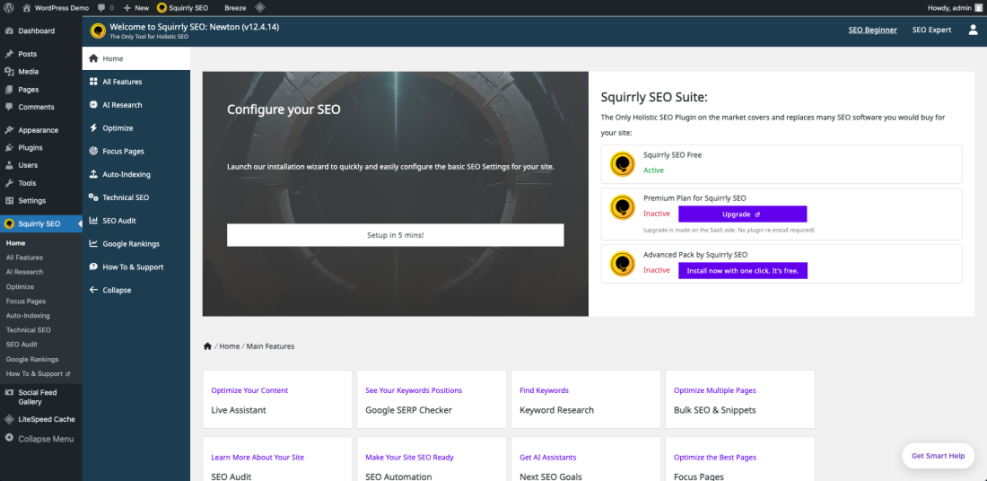
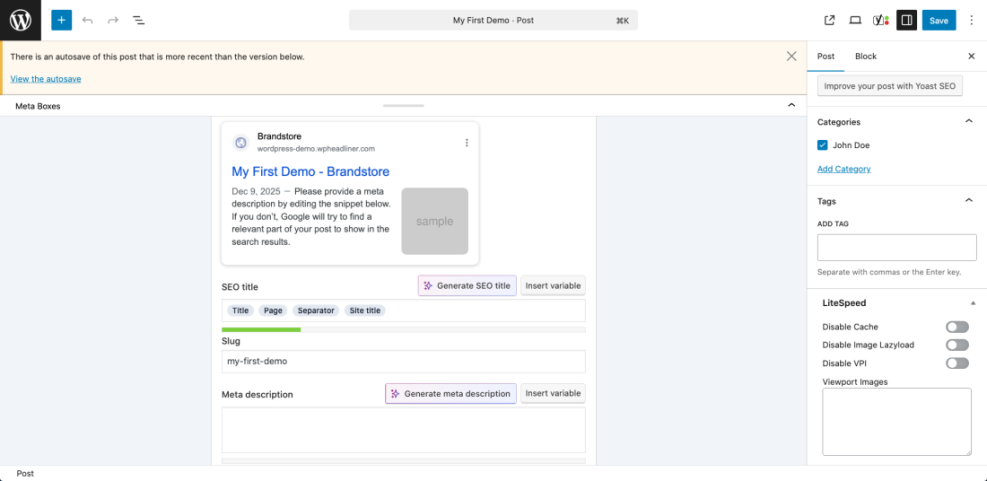
In a typical WordPress setup, you still rely on core tools like Google Search Console, Google Analytics, and a plugin such as Yoast SEO or All in One SEO to handle technical basics. Semrush, Ahrefs, and Moz sit on top of that foundation to guide strategy, from keyword discovery and topic planning to backlink outreach and content updates. When combined with solid WordPress SEO practices, these platforms help you prioritize the changes that move the needle fastest.
Core WordPress SEO Foundations
For additional background on search optimization basics in WordPress, you can review documentation from WordPress.org or the SEO guides in the WordPress.com support center, then layer your chosen platform on top.
Connecting SEO Platforms to Your Daily Workflow
As your skills grow, you might also explore more advanced SEO education, such as WordPress-focused SEO guides and courses from trusted providers. These materials pair well with data from any of the three tools and make it easier to translate reports into practical actions in the WordPress admin.
If you want a deeper WordPress-specific foundation before investing in a paid platform, you can follow an Install WordPress tutorial then learn basic on-page SEO and internal linking. After that, you can add a platform like Semrush, Ahrefs, or Moz as your analytics layer.
For more structured strategy, consider a planned guide such as Best keyword research tools for seo or a future article on Backlink Strategy Guide to connect each tool’s data to specific tasks in your content calendar.
SEO Tools Comparison Conclusion and Next Steps
Action Steps for Picking Your Platform
At this point, you should have a clearer sense of where Semrush, Ahrefs, and Moz shine. The next step is to choose one primary platform and commit to using it weekly rather than hopping between tools. A consistent process of auditing your WordPress site, researching new topics, and reviewing rankings will pay off more than chasing minor differences in keyword counts.
When You Might Use More Than One Tool
There are situations where combining platforms makes sense. An agency might use Semrush as the main reporting hub and rely on Ahrefs for its deeper backlink analysis. A small publisher could start with Moz for budget reasons, then add a focused Ahrefs plan once link-building becomes a core growth channel. As long as each tool has a clear job in your workflow, you can justify the extra spend.
Moving From Data to Real SEO Wins
Regardless of which option you choose, the goal is the same: use data from your SEO tools to guide real changes on your WordPress site. That means improving content quality, tightening technical SEO, strengthening internal links, and earning better backlinks over time. When you connect each report to a specific task in your calendar, Semrush, Ahrefs, and Moz all become practical allies instead of expensive dashboards.
More WordPress Guides You Might Like
If you want to build a stronger SEO foundation around your chosen platform, these planned WordPress-focused guides will help you connect tool data to daily work on your site.
- WordPress seo complete beginners guide
- Is WordPress good for seo
- Best keyword research tools for seo
- Internal linking strategies WordPress
- How to add keywords in WordPress without hurting
These guides, combined with hands-on practice in Semrush, Ahrefs, or Moz, will give you a complete workflow from strategy to execution inside the WordPress dashboard.
Frequently Asked Questions About SEO Tools
Is Semrush better than Ahrefs for beginners
Can I use more than one SEO platform at once
Which tool is best if I have a small budget
Do these tools replace Google Search Console and Analytics
How accurate are keyword and traffic numbers in these tools