Best WordPress LMS Plugins Compared
Pick the right tool to grow your online courses

WordPress LMS plugins turn your website into a learning platform without custom development. With the right solution, you can create courses, enroll students, sell access, and track progress using tools you already know from WordPress.
In this guide, you are going to see how the main WordPress LMS options compare, where each one fits best, and what features, pricing, and long-term considerations you should look at before you commit to a learning management system for your site.
Best WordPress LMS Plugins at a Glance
What Is a WordPress LMS Plugin?
A WordPress LMS plugin adds course creation, student management, and payments to your existing site. Instead of using a separate platform, you keep everything inside WordPress. As a result, you stay in control of your content, branding, and user data while still offering a full learning experience through your own website.
Which WordPress LMS Plugin Is Best Overall?
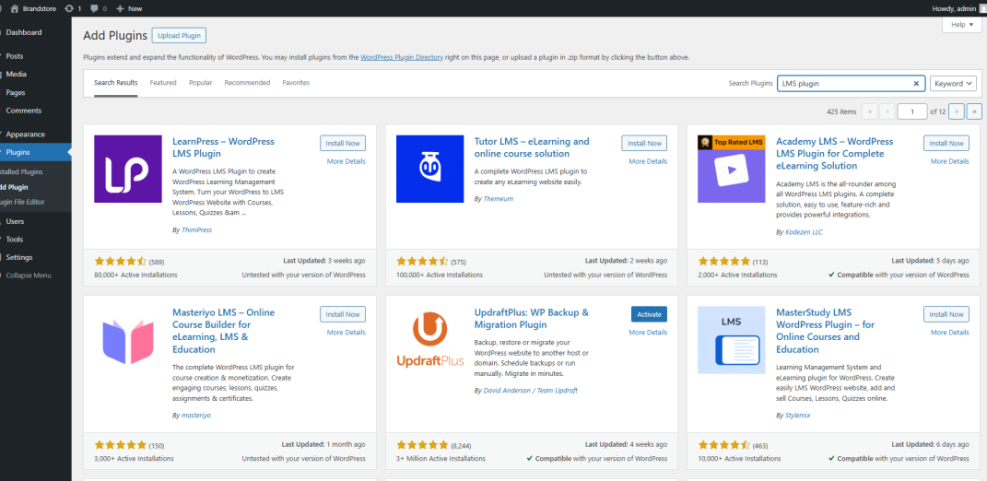
If you want a polished course platform with lots of addons, LearnDash is a strong “all rounder” for most serious course businesses. For budget-friendly setups, Tutor LMS and LifterLMS offer generous free versions that make it easy to start without a big upfront cost. LearnPress works well for simple free courses, while Sensei LMS fits naturally if you already rely on SEO and UX, and where you will see it in daily work.”>WooCommerce.
To make the differences clearer, here is a quick comparison of leading LMS plugins based on typical use cases.
| Plugin | Best For | Price Range | Key Drawback |
|---|---|---|---|
| LearnDash | Serious course businesses needing a robust course platform | Paid, around mid to high range | No free version, many paid addons |
| LifterLMS | Membership sites and bundles on WordPress | Core free, paid gateways and bundles | Costs scale as you add extensions |
| Tutor LMS | Freemium and marketplace-style course sites | Free core, paid Pro tiers | Advanced features locked to Pro |
| LearnPress | Simple or hobby projects | Free core, low-cost addons | Interface feels less polished |
| Sensei LMS | Stores built on WooCommerce needing course functionality | Free core, paid commerce addons | Works best with specific themes |
This overview helps you narrow your shortlist before you spend time testing each plugin on a staging site.
Top Picks by Use Case
For a single instructor selling premium courses, LearnDash or LifterLMS usually provide the most control as a course platform. For marketplaces with many instructors, Tutor LMS Pro is worth exploring because it is built with multi-instructor learning sites in mind. Meanwhile, LearnPress or Sensei LMS are good options if you need a lighter setup or you want something that stays very close to default WordPress while still acting as a basic LMS.
Core Features to Compare in LMS Plugins
What Features Matter Most in an LMS Plugin?
When you compare plugins, focus on the course builder, content protection, quizzes, assignments, and how payments work. In addition, check integrations with your email marketing, membership tools, and analytics. These pieces determine how smooth your workflow feels day to day and how flexible your course business can grow over time.
Course Building and Content Control
A good LMS lets you create courses with modules, lessons, and quizzes in a drag-and-drop way. Most major plugins integrate with the block editor and sometimes with page builders like Elementor. However, some course builders add extra shortcode clutter, so testing with your theme and editor stack before launch prevents layout surprises.
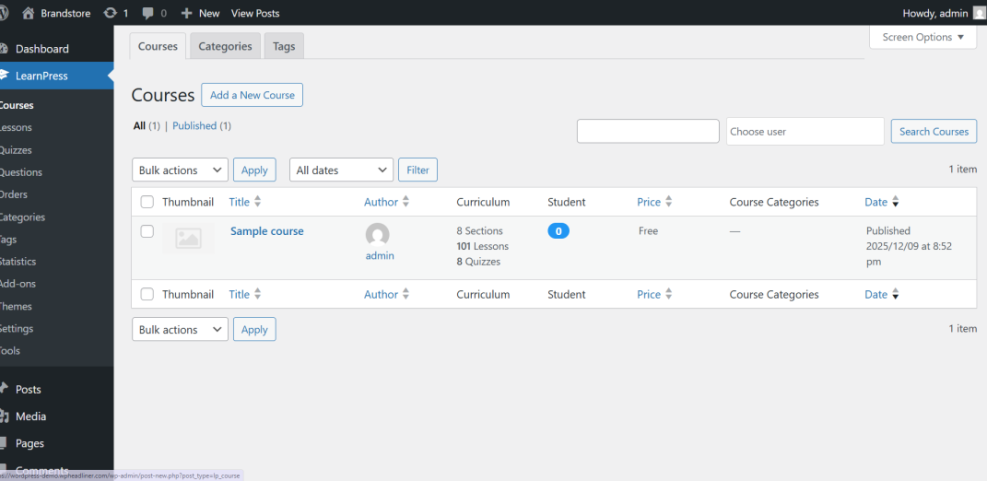
Look for features like drip content, prerequisites, and completion tracking. For example, you may want students to pass a quiz before they unlock the next module. If your plugin supports that natively, you avoid extra custom code or third-party addons later.
Student Experience and Engagement
Students need a clean dashboard to see their enrolled courses, progress, and certificates. Therefore, pay attention to how the default course layout looks on mobile and how easy it is to move through lessons. Features like discussion areas, assignments, and email notifications can significantly boost engagement in your learning environment.
In addition, check whether the plugin adds heavy scripts on every page or only on course pages. Lean assets keep your main marketing pages fast, which improves conversions and search visibility. You can test this with tools such as Google web.dev.
In-Depth Reviews of Popular WordPress LMS Plugins
LearnDash Overview and Highlights
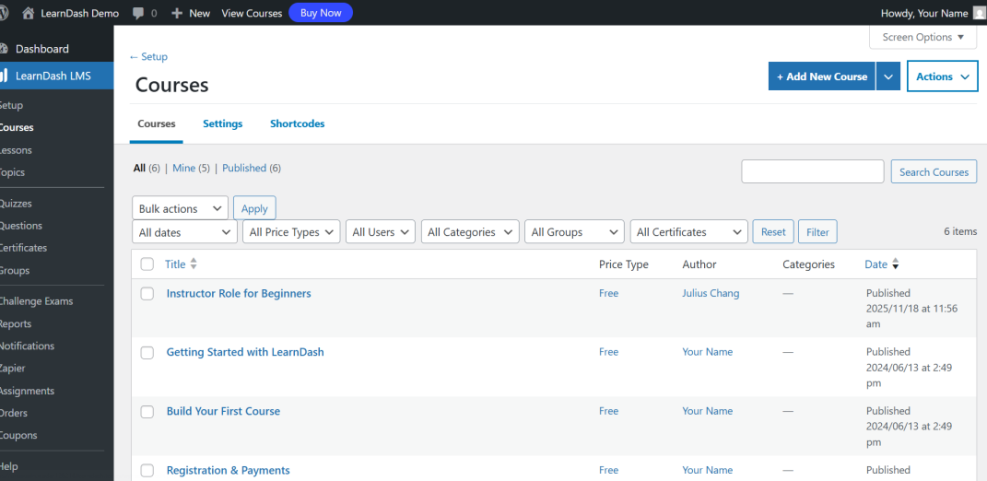
LearnDash targets serious course creators who want powerful features with a polished interface. You get advanced drip scheduling, detailed quiz options, and strong reporting. In addition, LearnDash offers many official and third-party addons for memberships, marketing automation, and advanced certificates.
The main trade-off is cost and complexity. You pay a yearly license, and you may add more costs for addons. However, the investment often pays off if you run a high-value course or a small academy that needs detailed control over learning paths within WordPress.
LifterLMS Strengths and Weaknesses
LifterLMS is flexible and works well when your site mixes courses with memberships or coaching offers. The core plugin is free, and you pay for payment gateways or bundles. This model lets you start small with a free LMS, while still having a path toward advanced bundles later.
However, costs can add up as you combine several addons. Therefore, it helps to sketch your ideal setup on paper first. If you plan complex memberships from the start, a higher-priced LifterLMS bundle might actually save money compared to buying individual extensions over time.
Tutor LMS and Other Notable Options
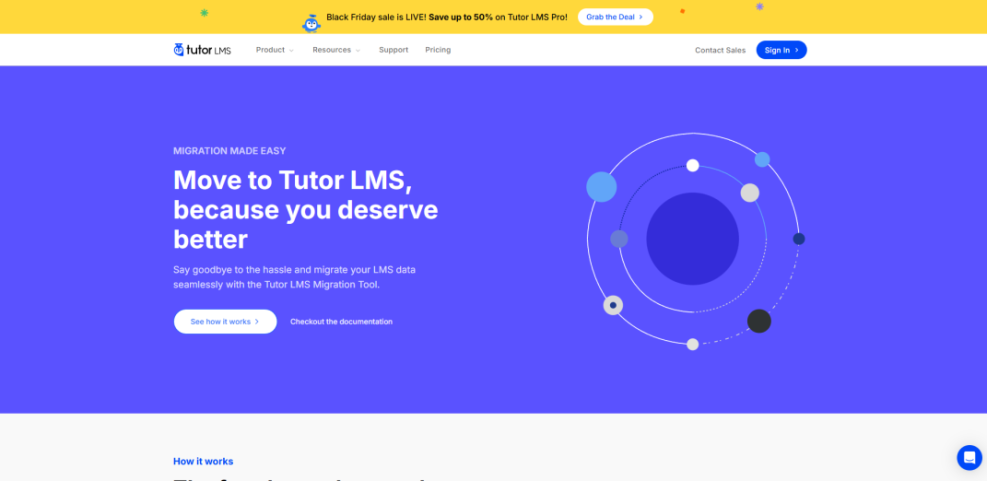
Tutor LMS is a modern freemium solution that feels familiar if you like graphical dashboards. The free version covers basic courses and quizzes, while Pro unlocks front-end course creation, advanced reports, and marketplace features. In addition, the plugin includes templates that work nicely with common themes.
Beyond these three, LearnPress and Sensei LMS are also worth a look when you compare learning plugins. LearnPress is popular with users who want many small addons at low cost. Sensei LMS, from the team behind WooCommerce, integrates tightly with that ecosystem, so it is a natural choice if you already sell products or memberships through WooCommerce and want to add course features.
For extra assurance when evaluating any solution, you can review user ratings and support responses in the WordPress plugin directory.
How To Choose the Right WordPress LMS
Clarify Your Course Strategy First
Before you install anything, decide how many courses you want, how often you will launch, and whether you plan to sell memberships, single courses, or bundles. For example, a simple “one flagship course” business needs different tools than a school with dozens of short trainings.
Next, consider your technical comfort level. Some plugins assume you are happy working with shortcodes, custom templates, and staging sites. Others provide setup wizards that walk you through the basics with fewer decisions.
Step-by-Step Plugin Selection Process
Use a simple process to pick your LMS without getting stuck in endless trials.
- List must-have features such as quizzes, drip content, or certificates.
- Check which plugins support those features in their free or base plans.
- Install candidates on a staging site after you Install WordPress.
- Create one small sample course with lessons, a quiz, and a test student account.
- Test the full flow on mobile, including checkout and lesson completion.
- Compare performance, ease of use, and estimated yearly costs.
This structured approach helps you stay objective instead of picking the plugin with the flashiest marketing page.
Common Mistakes to Avoid
Many site owners install several LMS plugins at once, which often causes conflicts and database clutter. Instead, deactivate and remove unused tools as you narrow your choice. In addition, avoid running a full learning platform on a weak shared host, because slow page loads frustrate students and reduce completion rates.
If you plan deep WooCommerce integration, you might also want a dedicated WooCommerce LMS guide that covers product types, coupons, and subscriptions connected to course access.
Pricing and Long-Term LMS Costs
How Much Should You Budget?
Most course businesses can expect to spend somewhere between the cost of a premium plugin license and a few hundred dollars per year on LMS features. Additionally, you might pay for addons like advanced quizzes, marketing automation, or membership tools.
Hosting also matters. A learning site with many concurrent students benefits from higher-tier hosting or a managed WordPress plan that handles caching and scaling for you. Your platform will only feel professional if it loads quickly during busy launches.
Free Plugins Versus Paid Solutions
Free LMS plugins are attractive when you start, especially for small passion projects. However, paid versions often include better reporting, support, and integrations. When you factor in the value of your time, upgrading to a paid tier often costs less than building workarounds or debugging issues alone.
For a balanced view, you can read documentation and feature lists on official sites such as Learn WordPress and vendor docs, then match those details to your own roadmap for your learning site.
Hidden Costs Over Time
Hidden costs usually come from stacking too many addons, paying for several marketing tools, or needing a developer to fix conflicts between the LMS and other plugins. Therefore, try to keep your stack lean and choose tools that cover most of your needs out of the box. Clear documentation and active support forums also reduce long-term costs.
If you rely on subscriptions or recurring payments, plan time to test renewals and failed payment flows. Good LMS and ecommerce plugins will document these flows clearly in their WooCommerce or gateway documentation.
WordPress LMS Plugins Conclusion
Choosing among different options is less about chasing every feature and more about matching one solid tool to your teaching style, budget, and growth plans. After you define your strategy, testing a short list on a staging site is the fastest way to see which plugin “fits” how you like to work.
Once you decide on a platform, commit to that tool for at least one full course cycle. During that time, refine your onboarding, improve lesson flow, and gather feedback from students. When you focus on content quality and learner results, the LMS becomes a reliable foundation instead of a constant distraction.
More WordPress Guides You Might Like
The following planned guides can help you go deeper into hosting, performance, and monetization as your learning site grows.
- WordPress seo complete beginners guide
- WordPress speed optimization checklist
- Best contact form plugins for WordPress
- Email Automation Strategies for Successful Course Launches
- How to use ai in WordPress
As you build out your learning platform, these deeper dives will support better performance, higher engagement, and more stable recurring revenue.
Frequently Asked Questions About WordPress LMS Plugins
Do I need a separate website for my LMS?
Which plugin is easiest for beginners?
Can I switch LMS plugins later without losing data?
Will an LMS plugin slow down my WordPress site?
Can I use WooCommerce to sell access to my courses?