Best Rank Tracker Tools for SERP Tracking
Pick smarter SEO tools for precise Google ranking insights

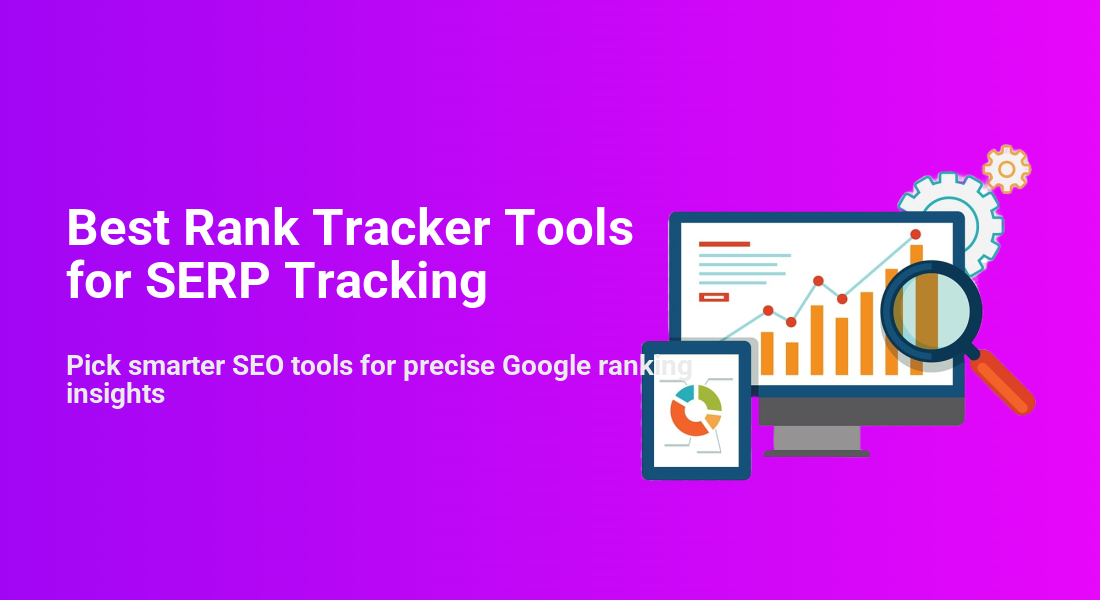
Choosing the best rank tracker tools for your site can feel confusing when every SEO platform promises accurate data and beautiful charts. You need reliable SERP tracking so you can see how your keywords move, understand why traffic changes, and prove the value of your work.
This guide shows you how rank tracking works, which features matter most, and how the leading tools compare. You will see quick recommendations, a comparison table, and practical workflows so you can connect SERP tracking with your WordPress site and make better SEO decisions.
Best Rank Tracker Tools Overview
If you want powerful rank tracker tools with minimal guesswork, start with an all-in-one SEO suite such as Semrush or Ahrefs for deep data, then add a dedicated tracker like AccuRanker or Advanced Web Ranking for agency-grade reporting, and rely on Google Search Console as your free baseline for keyword positions and click data.
What Is a Rank Tracker Tool?
A rank tracker tool monitors where your pages appear in search results for chosen keywords over time. It records daily positions, shows trends, and compares your rankings with competitors. This helps you see whether your SEO work is moving the needle and which pages deserve more content, links, or on-page optimization.
Who Needs SERP Tracking Most?
Any site that depends on organic traffic benefits from SERP tracking, but it is especially useful for agencies, freelancers, and online stores. Because rankings change often, the data helps you spot problems early, prioritize fixes, and show clients or stakeholders how campaigns perform without relying only on analytics traffic graphs.
How Often Should You Check Rankings?
You do not need to stare at ranking charts every day. Instead, track daily in the background but review key reports weekly or biweekly. This avoids reacting to small fluctuations while still catching major drops, algorithm shifts, or opportunities where a keyword climbs near the top and could use extra support.
Core Features to Compare
Most rank tracking tools look similar at first glance. However, when you dig into the details, a few features separate a convenient dashboard from a tool that drives real SEO decisions.
Which Metrics Matter for SEO?
At a minimum, you want keyword position, movement over time, search volume, and click data. In addition, strong tools show SERP features, such as featured snippets, local packs, and image results. When you see which features appear for a query, you can decide whether to optimize content, structured data, or local profiles.
How Do Local and Mobile Tracking Work?
Modern SERP tracking tools let you track rankings by country, city, or even a specific ZIP code. They also support mobile and desktop indexes. This matters because your page might rank well on desktop but poorly on mobile. Local tracking highlights gaps between regions so you can adjust content, links, or Google Business Profiles.
Reporting and Client-Friendly Views
Good rank trackers generate simple reports that non-SEO stakeholders can understand. Look for scheduled email reports, export to PDF or spreadsheets, and white-label options if you manage clients. When reports show clear trends, annotations, and grouped keyword segments, you spend less time explaining charts and more time adjusting your strategy.
Top Rank Tracking Tools Compared
There is no single “best” tool for everyone. Instead, different rank tracking platforms serve different budgets and workflows. The tools below appear again and again in expert comparisons and practitioner reviews.
All in One SEO Platforms
Semrush and Ahrefs both combine rank tracking with keyword research, site audits, and backlink analysis. SE Ranking and Moz Pro also include solid position tracking inside broader SEO suites. These tools work well when you want rankings, technical issues, and link data in one place rather than stitching together many separate products.
Dedicated Rank Tracking Software
Dedicated rank trackers such as Advanced Web Ranking, AccuRanker, Nightwatch, and ProRankTracker focus almost entirely on SERP tracking. They usually offer very granular location settings, fast updates, and flexible reporting. Therefore, agencies and in-house SEO teams often pair one of these trackers with a separate crawling or link analysis tool.
Free and Budget Friendly Options
Google Search Console gives you free search performance data for your own site, including average position and clicks. In addition, tools like SERPWatcher by Mangools, Rank Tracker from SEO PowerSuite, and several freemium trackers let you monitor a smaller keyword set at a lower monthly cost, which is ideal for small sites and bloggers.
Here is a compact comparison of popular rank tracking tools and their typical strengths.
| Tool | Best For | Starting Price | Key Strengths |
|---|---|---|---|
| Semrush | All-in-one SEO | Around $130/month | Deep keyword data, site audits, strong position tracking |
| Ahrefs | Backlinks and research | Around $100/month | Powerful link index, rank tracking, content gap analysis |
| SERPWatcher (Mangools) | Bloggers and small sites | Around $30/month | Simple interface, handy performance index, bundled tools |
| SE Ranking | Agencies on a budget | Flexible plans | Custom reporting, local tracking, project-based pricing |
| Advanced Web Ranking | Report-heavy teams | Mid-range monthly | Detailed reports, many search engines, strong white-labeling |
| AccuRanker | Fast, precise tracking | Per-keyword pricing | Real-time updates, share of voice metrics, agency features |
| Google Search Console | Free baseline data | Free | Official Google data, clicks and impressions, basic positions |
You can start with free data from Google Search Console, then upgrade to a paid rank tracker when you need better granularity, historical views, or polished reports for clients and stakeholders.
How to Choose the Right Tracker
Before you sign up for any rank tracking tool, it helps to match features with your SEO strategy and budget. A small WordPress blog and a multi-location business will not need the same level of detail or reporting.
Questions to Ask Before You Subscribe
- How many keywords and projects do you need to track?
- Do you care about multiple countries, cities, or languages?
- Will you report to clients or only use the data internally?
- Which other tools should the tracker integrate with?
- How important are daily updates versus weekly snapshots?
When you answer these questions honestly, you avoid paying for features you will not use while still getting enough room to grow into the tool over time.
Best Options for Bloggers and Small Sites
For small WordPress sites, a lightweight suite such as SERPWatcher, SE Ranking, or a bundled toolkit works well. You can pair it with Google Search Console data and your favorite SEO plugin. This setup keeps costs low while still giving you clear trends for your most important articles and landing pages.
Best Options for Agencies and Freelancers
Agencies, consultants, and in-house SEO teams usually need flexible reporting, multi-user access, and strong local tracking. In that case, consider Advanced Web Ranking or AccuRanker plus an all-in-one platform like Semrush. This combination covers rankings, audits, and backlinks without forcing every client into the same dashboard.
Integrating Rank Tracking With WordPress
Your rank tracker usually lives outside WordPress, but you can still connect the data closely with your site. When you line up rankings, analytics, and on-page SEO in one workflow, you move faster and make clearer decisions.
How Do You Connect Data to WordPress?
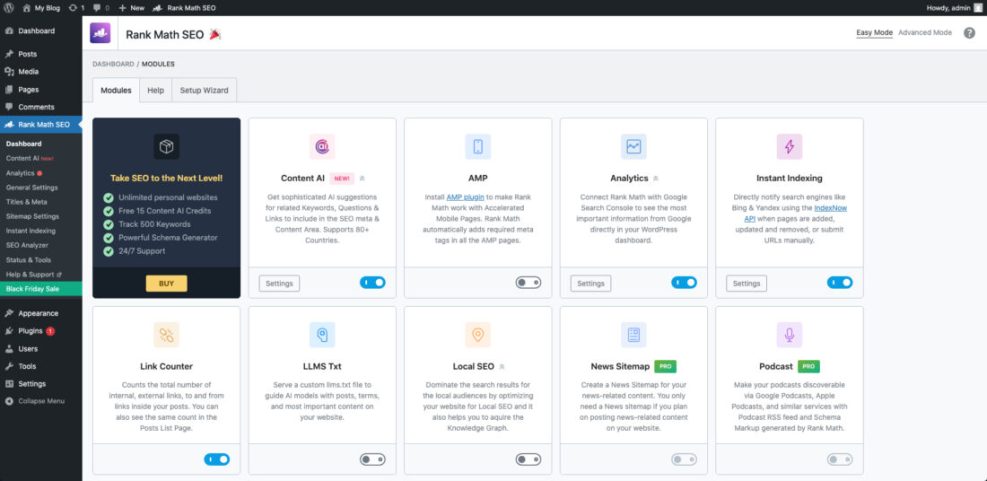
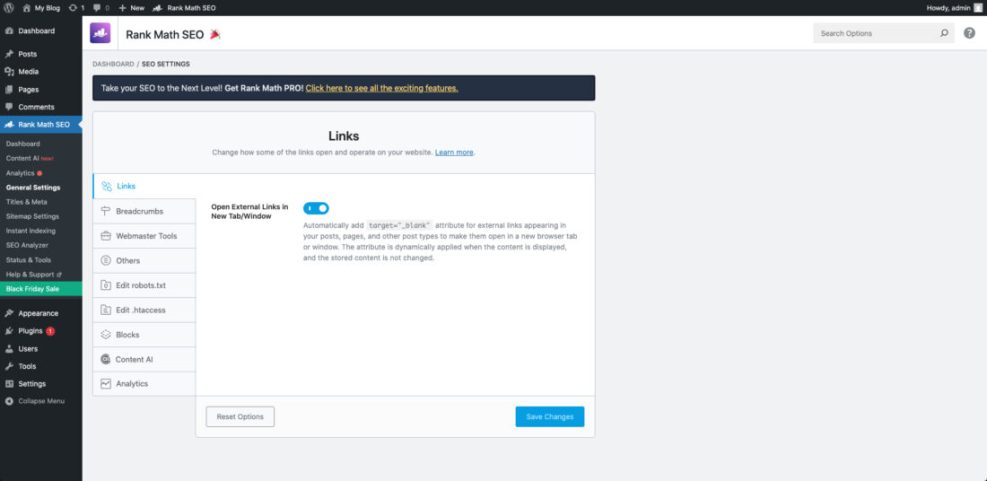
Most SEOs track rankings in one tool, then use a WordPress SEO plugin such as Rank Math SEO to handle on-page optimization. You can tag posts by topic, use categories to group content, and then match those groups with keyword segments in your rank tracker for easier reporting.
Step by Step Rank Tracking Workflow
- List your target keywords by page or topic cluster in a spreadsheet.
- Add those keywords to your rank tracker and group them into logical tags.
- Connect Google Search Console and analytics where your tool supports it.
- Review weekly reports and flag pages that drop or move near the top 10.
- Update content, internal links, or technical SEO based on those insights.
When you repeat this simple loop consistently, rankings become a feedback system instead of a random number you check only when traffic suddenly drops.
What Reports Should You Check Weekly?
Each week, focus on a short list of reports: keywords that gained or lost the most positions, pages with rising impressions but low clicks, and new keywords you started ranking for. These reports help you choose quick wins, such as improving titles and meta descriptions or adding internal links from related posts.
Rank Tracking Tips and Pitfalls
Even with the best rank tracker, it is easy to draw the wrong conclusions from the data. A few simple habits will keep you focused on useful insights instead of noisy changes.
Common Mistakes When Reading SERP Data
One common mistake is chasing every one-position jump or drop. Another is judging success by a single vanity keyword instead of a group of related terms. Instead, look at topic-level trends and compare rankings with organic traffic and conversions, not just with raw positions.
How to Use Trends Instead of Single Days
Trends over 30, 60, or 90 days reveal which pages respond to your SEO work. For example, if you refresh content and see positions climb steadily over a month, you know that type of update works. When a page stays flat, you might need new links, a stronger search intent match, or technical improvements.
When Should You Change Your SEO Strategy?
You should reconsider your SEO approach when rankings fall across many related keywords, when competitors consistently outrank you with fresher content, or when search intent clearly shifts. At that point, revisit your keyword research, update your content strategy, and refine technical factors such as site speed and internal linking.
Rank Tracker Tools Conclusion
Rank tracker tools turn search results into a clear performance story for your WordPress site. When you choose a tool that matches your budget, track the right keyword groups, and tie insights back to content updates, rankings stop feeling random and start guiding your strategy. Your next step is simple: pick one tool, set up a focused project, and review results every week.
More WordPress Guides You Might Like
If you want to build a smoother SEO workflow around your new rank tracking setup, additional WordPress-focused guides will help you connect the dots.
- Is WordPress good for seo
- Best WordPress seo plugins and tools
- How to build a website on WordPress
- Setting Up SEO Dashboards in Looker Studio
- Is WordPress good for seo
Use these resources as a roadmap so your rank tracking data feeds directly into better content, stronger technical foundations, and clearer reporting for every site you manage.
Frequently Asked Questions About Rank Tracker Tools
Do I really need a paid rank tracker if I use Google Search Console?
How many keywords should I track for a small WordPress site?
Can rank tracker tools show featured snippets and other SERP features?
How accurate are location based rankings in these tools?
What is the best way to report ranking improvements to clients?