Best Appointment & Booking Plugins
Save time with easy online scheduling for your clients

Choosing the right appointment booking plugins for your WordPress site can feel overwhelming when you depend on online scheduling to keep your business running smoothly. You want clients to book in a few clicks, staff to see their calendars clearly, and payments to flow without friction, yet many tools feel bloated or confusing.
This guide shows you the best appointment booking plugins for WordPress, how online booking tools actually work, which features matter for different business types, and a simple setup process. By the end, you can shortlist a few booking plugins, test them safely on your site, and launch a system that fits your workflow instead of fighting it.
Best Appointment Booking Plugins at a Glance
You rarely need dozens of appointment booking plugins. Instead, you need one WordPress booking plugin that matches your services, payment needs, and budget. Here is a practical shortlist that covers most WordPress use cases without forcing you into a complicated stack of add-ons.
Top Picks for Most Websites
- BookingPress – Feature-rich appointment booking plugin for service businesses with multiple staff and payment gateways.
- Amelia – Polished booking plugin interface, great for clinics, salons, and multi-location brands.
- Simply Schedule Appointments – Beginner-friendly online booking plugin, integrates well with page builders.
- Bookly – Highly customizable WordPress booking plugin with many add-ons for advanced workflows.
- Easy Appointments – Flexible free booking plugin option for simple services and locations.
These appointment booking plugins cover solo professionals, small salons, and larger teams. You can usually start with a free version, then upgrade only if you need advanced features such as recurring appointments or more payment methods.
For a quick side-by-side view, compare a few leading tools before you install anything.
| Plugin | Best For | Free Version | Key Integrations |
|---|---|---|---|
| BookingPress | Service businesses with staff | Yes | Stripe, PayPal, calendar sync |
| Amelia | Clinics, salons, agencies | Limited | Google Calendar, SEO and UX, and where you will see it in daily work.”>WooCommerce |
| Simply Schedule Appointments | Coaches and small teams | Yes | Elementor, Divi, Gravity Forms |
| Bookly | Advanced custom workflows | Limited | SMS, email, payment gateways |
| Easy Appointments | Simple multi-location setups | Yes | WooCommerce, Google Calendar |
| WooCommerce Bookings | Booking as products | No | WooCommerce, extensions |
This compact comparison helps you match each appointment booking plugin to your business model before you invest time in configuration or migrations.
What Is the Best Free Booking Plugin?
For many service sites, a free appointment booking plugin like Easy Appointments or Simply Schedule Appointments is enough. These online booking plugins handle time slots, confirmations, and basic notifications. When you need online payments or more advanced reminders, you can upgrade to a paid plan without rebuilding your entire schedule.
Which Booking Plugin Works Best With WooCommerce?
If you already sell products or services with WooCommerce, the WooCommerce Bookings extension keeps everything in one cart. It lets you treat appointments and rentals as products, so customers can add bookings, pay, and receive all order emails through the same system they already recognize. In many stores this is the most natural WordPress booking plugin choice.
How Online Booking Plugins Work
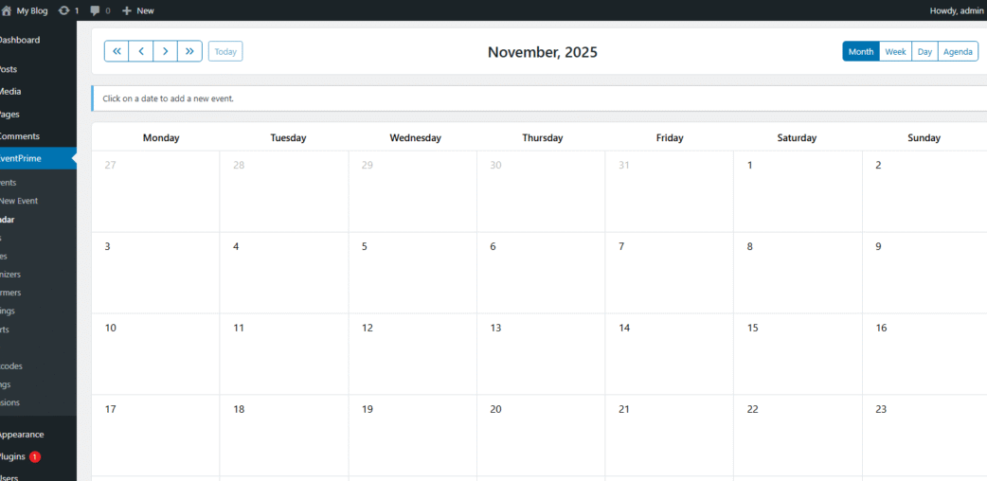
Most appointment booking plugins follow the same pattern. A booking plugin for WordPress adds custom post types for services and staff, exposes a booking form on the front end, and writes confirmed appointments into its own calendar table in the WordPress database.
How Do Appointment Booking Plugins Work?
In simple terms, appointment booking plugins collect key details such as service, staff member, date, and time from the visitor. Then they check that slot against existing bookings, apply rules like padding between appointments, and save the result. Finally, they send confirmation emails and update any connected calendars so your team sees the new booking right away.
Key Features to Look For
- Flexible schedules with different hours per staff member or location inside your booking plugin.
- Automatic email and optionally SMS reminders to reduce no shows.
- Support for group bookings, classes, or recurring sessions in your appointment booking plugins.
- Calendar sync with Google Calendar or other tools.
- Responsive booking forms that look good on phones.
When a WordPress booking plugin handles these basics well, you spend less time chasing clients and more time delivering your actual service.
How Do Booking Plugins Handle Payments?
Some booking plugins only collect appointment details, while others let you collect deposits or full payment during booking. Many appointment booking plugins connect to gateways like Stripe or PayPal so you can charge at the same time the slot is reserved. This approach cuts down on no shows and gives clients a clear, predictable checkout flow.
Top Booking Plugins by Use Case
Different businesses need different booking flows. A yoga studio, a law firm, and a vacation rental site all care about time slots, yet each handles pricing, capacity, and cancellations differently. Choosing appointment booking plugins that match your use case saves hours of workarounds.
Service Businesses and Salons
Salons, spas, and clinics usually need multiple staff calendars, services with different durations, and maybe rooms or chairs as resources. Plugins such as BookingPress, Amelia, and Bookly shine here because they offer staff dashboards, color-coded calendars, and powerful notifications. These online booking plugins let staff log in, manage their own availability, and receive reminders without giving them full admin access.
Coaches, Trainers, and Consultants
Coaches, trainers, and consultants usually need simpler booking flows with strong integrations. Tools like Simply Schedule Appointments pair well with page builders and form plugins, so you can embed booking forms into landing pages that already convert. For this type of business, a clean appointment booking plugin for WordPress that integrates with your CRM and calendar is usually enough.
Rentals, Events, and Classes
Rentals and classes usually care about capacity and date ranges more than individual staff. WooCommerce Bookings and similar WordPress booking plugins work well when you rent items by the day or sell seats for classes. You can let customers see which days are available, price weekends differently, and bundle bookings with other products like equipment or add-on services.
How to Choose the Right Booking Tool
A great appointment system starts with understanding your process, not with installing more plugins. When you map your workflow first, you can quickly see which features you actually need and avoid paying for options you will never use in your appointment booking plugins.
Map Your Booking Workflow First
Begin by writing down how a typical appointment flows from first contact to follow-up. For example, decide whether clients can choose their staff member, how far in advance they can book, and when they can cancel. Then match these rules to booking plugin features so you only evaluate tools that can handle your real-world requirements.
Check Compatibility and Performance
Next, review how the WordPress booking plugin works with your theme, page builder, and caching plugin. Many appointment booking plugins load their own scripts and styles, so you should test pages with caching both enabled and disabled. If you plan deep optimization later, a planned guide like Speed Up Booking Plugins can walk through advanced tweaks.
Compare Pricing Over the Long Term
Pricing can look simple at first, yet add-ons and per-site licenses add up over time. Therefore, compare the cost of a single “pro” appointment booking plugin versus a stack of smaller extensions. Also consider features such as SMS reminders or additional payment gateways, which might live in separate add-ons. A slightly higher flat price is often cheaper than many small yearly fees.
Set Up a Booking Plugin in WordPress
Once you pick a WordPress booking plugin, you can usually get a basic booking system running in less than an hour. The exact screens differ between tools, yet the core steps stay the same across most appointment booking plugins.
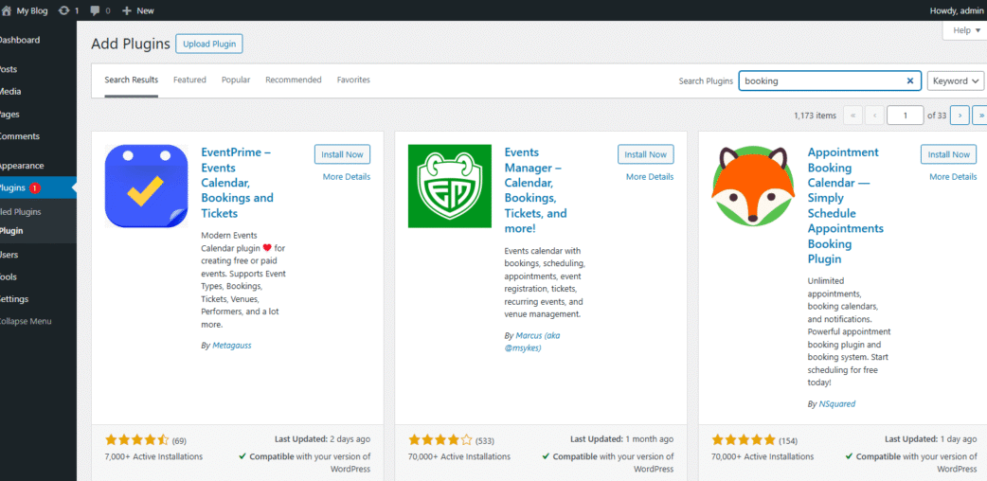
How Do You Install a Booking Plugin?
- Log in to your WordPress dashboard as an administrator.
- Go to Plugins > Add New and search for your chosen appointment booking plugin.
- Click Install, then Activate when WordPress finishes the download.
- Open the new menu item the booking plugin adds in the dashboard sidebar.
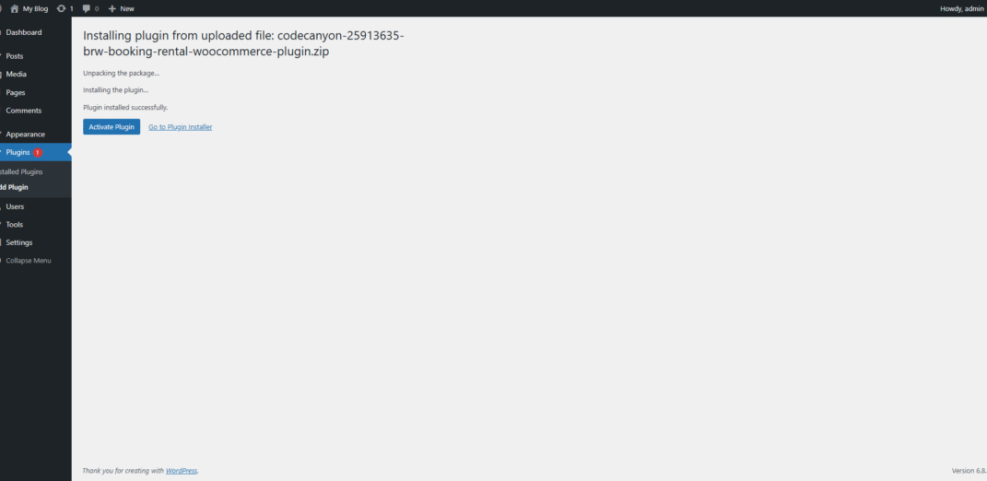
If you prefer, you can also upload a premium online booking plugin as a zip file from the same Add New screen. Just be sure your site meets the plugin’s PHP and WordPress version requirements.
Set Services, Staff, and Availability
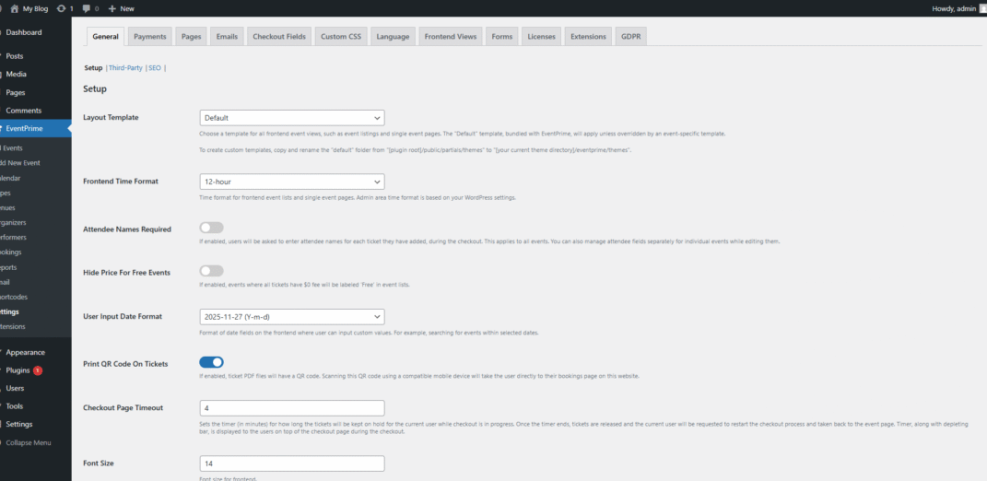
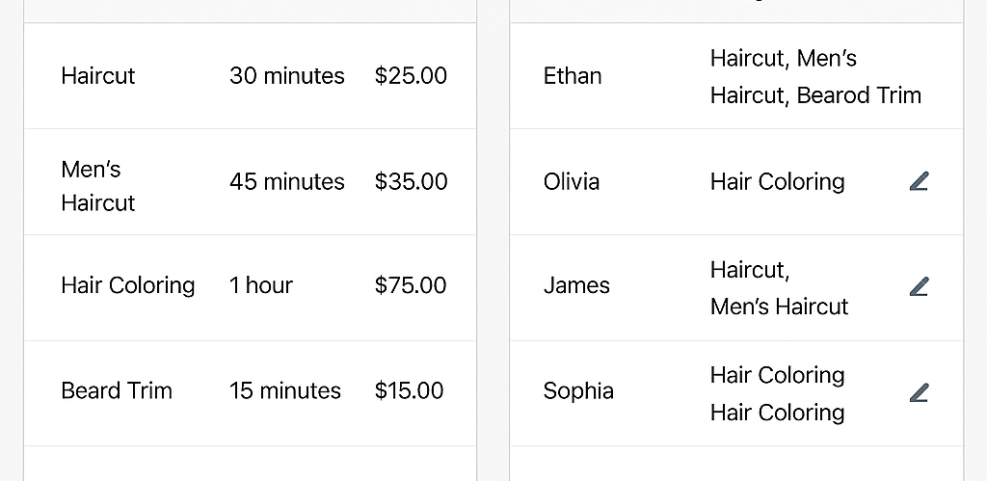
- Create your services inside the appointment booking plugin, including duration, price, and any padding between appointments.
- Add staff members or resources and assign which services they offer.
- Set business hours and exceptions like holidays or special events.
- Configure time zone settings so your calendar matches your clients.
This is where many businesses see mistakes. Double-check that breaks, holidays, and time zones match your real schedule so the booking plugin never offers slots you cannot actually honor.
Add the Booking Form to Your Site
- Create or edit the page where clients should book appointments.
- Insert the booking block or shortcode provided by your WordPress booking plugin.
- Save the page and preview it on desktop and mobile devices.
- Place a few test bookings to confirm emails and payments work.
After testing, clear any test appointments from your calendar so they do not block real clients. Then link to this page from your main navigation and email signatures to drive consistent traffic to your new appointment booking plugin page.
Appointment Booking Plugins Conclusion
Online scheduling should feel like a quiet, reliable engine behind your business, not a constant source of stress. When you choose appointment booking plugins that match your workflow, test them on a staging copy, and keep your schedule rules clear, you can automate most of the back-and-forth that used to consume your day.
Next, pick one or two WordPress booking plugins from the shortlist, set up a simple booking page, and invite a few trusted clients to try it. Their feedback will show where to refine your services, reminders, and payment options. As you fine-tune the system, your calendar fills with the right appointments and your time opens up for higher-value work.
More WordPress Guides You Might Like
If you want to build a smoother WordPress experience around your appointment booking plugin, these related guides can help you improve performance, conversions, and day-to-day management.
- How to speed up a WordPress site
- Creating High Converting Service Landing Pages
- Woocommerce performance tips for faster stores
- Best WordPress seo plugins and tools
- WordPress migration checklist for blogs
Once these guides are available, you can use them alongside this comparison to design a complete booking flow, from first visit to final follow-up, all powered by the right appointment booking plugins.
Frequently Asked Questions About Appointment Booking Plugins
Do appointment booking plugins slow down WordPress?
Can I sync appointments with Google Calendar?
Which plugin is best for a small salon?
How can I reduce no shows with online booking?
Are free booking plugins secure enough?